About the App
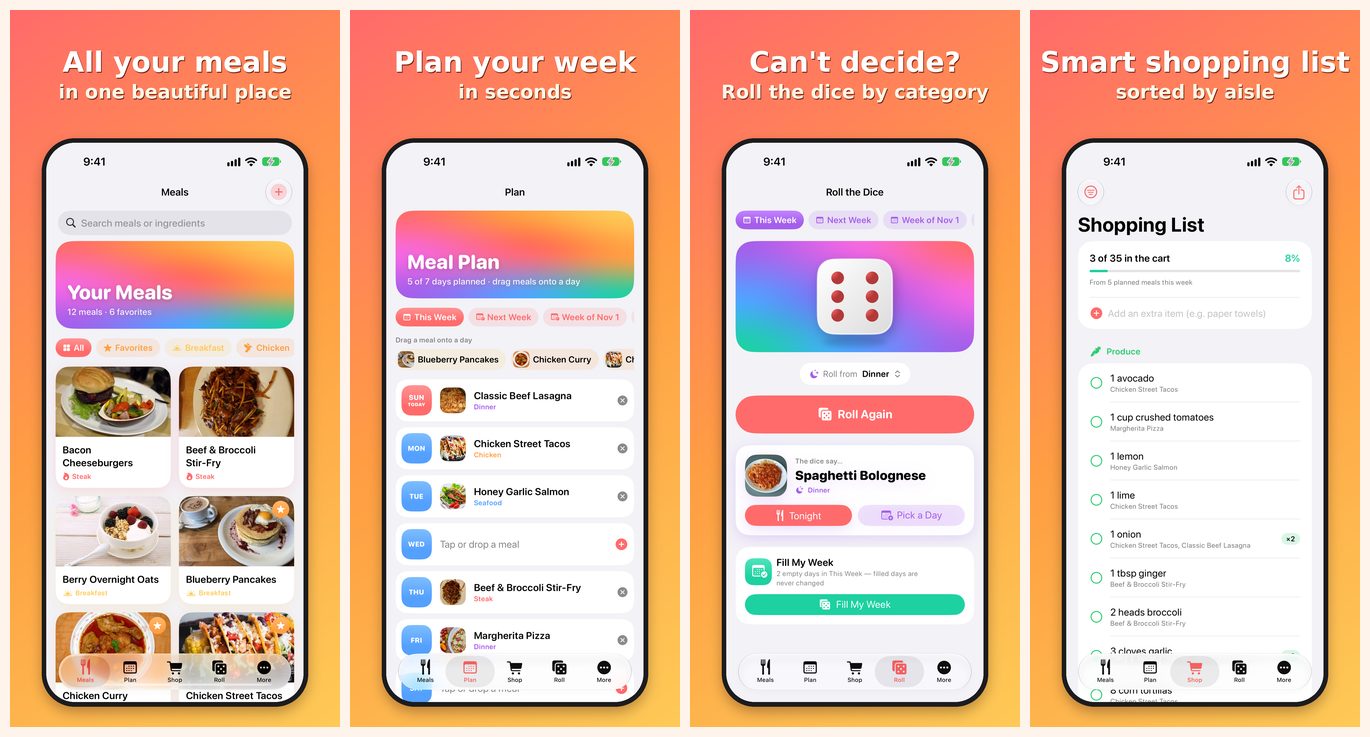
Meals Made Easy keeps all of your family's meals and recipes in one place on iPhone and iPad. Save meals with photos and ingredients, import recipes from a link, plan your week, get a shopping list sorted by aisle, and let the dice pick dinner when nobody can decide.
Dedicated to my wife, Maria.
Getting Started
- Meals — tap + to add a meal, or paste a recipe link to import it. Add a photo, category, ingredients, cook time and servings.
- Plan — drag meals onto a day, or tap a day to pick one. Plan this week or up to three weeks ahead. Fill empty days picks meals for any open days.
- Shop — your shopping list is built from the week's meals and grouped by aisle. Add extra items by hand.
- Roll — roll the dice for a meal idea. Choose All meals or a single category first, then send it to Tonight or any day. Fill My Week fills every empty day and never changes days you already planned.
- More — iCloud sync status, categories (colors and icons), backup and restore, and the welcome tour.
FAQ
How do my meals sync between my iPhone and iPad?
Meals Made Easy uses your own private iCloud account. Sign in to iCloud with the same Apple Account on each device and make sure iCloud is turned on for the app in Settings. Changes can take a minute to appear.
Meals Made Easy uses your own private iCloud account. Sign in to iCloud with the same Apple Account on each device and make sure iCloud is turned on for the app in Settings. Changes can take a minute to appear.
The More tab says "Not signed in to iCloud".
Your meals are still saved on the device. Sign in to iCloud in the Settings app to turn on syncing.
Your meals are still saved on the device. Sign in to iCloud in the Settings app to turn on syncing.
How do I back up my meals?
Open More > Export Backup to save a file (for example in Files or iCloud Drive). Restore from Backup only adds what is missing; it never deletes or overwrites anything.
Open More > Export Backup to save a file (for example in Files or iCloud Drive). Restore from Backup only adds what is missing; it never deletes or overwrites anything.
A recipe link didn't import.
Some websites don't share their recipe details. You can still paste or type the ingredients and steps yourself.
Some websites don't share their recipe details. You can still paste or type the ingredients and steps yourself.
Can I change category colors and icons?
Yes. Open More > Categories and tap a category.
Yes. Open More > Categories and tap a category.
Are there ads, subscriptions or in-app purchases?
No. Meals Made Easy has no ads, no subscriptions and no in-app purchases.
No. Meals Made Easy has no ads, no subscriptions and no in-app purchases.
I found a bug or have an idea.
Email me and include your device model and iOS version.
Email me and include your device model and iOS version.
Contact
Support: andrew.molnar88@outlook.com